

You want to try writing a song. But you don't know how to line up the chords, so you freeze at the blank page.
The reason the first step is hard is that you can't see which chords to choose from an endless list. There's a real shortcut here.
There are three main ways in to a chord progression: ① borrow a classic progression, ② pick from the key's diatonic chords, or ③ build it with in-app suggestions. Each one starts by narrowing down "the chords that fit."
Three ways in
① Borrow a classic (use a preset)
Most famous songs reuse a small set of "templates." Building on a classic pattern — like the Canon or the "Axis" progression — is fast and hard to get wrong. OtoTheory's Create mode ships with 50+ classic chord-progression presets by genre. Pick one you like, play it as-is, and change just a part of it.
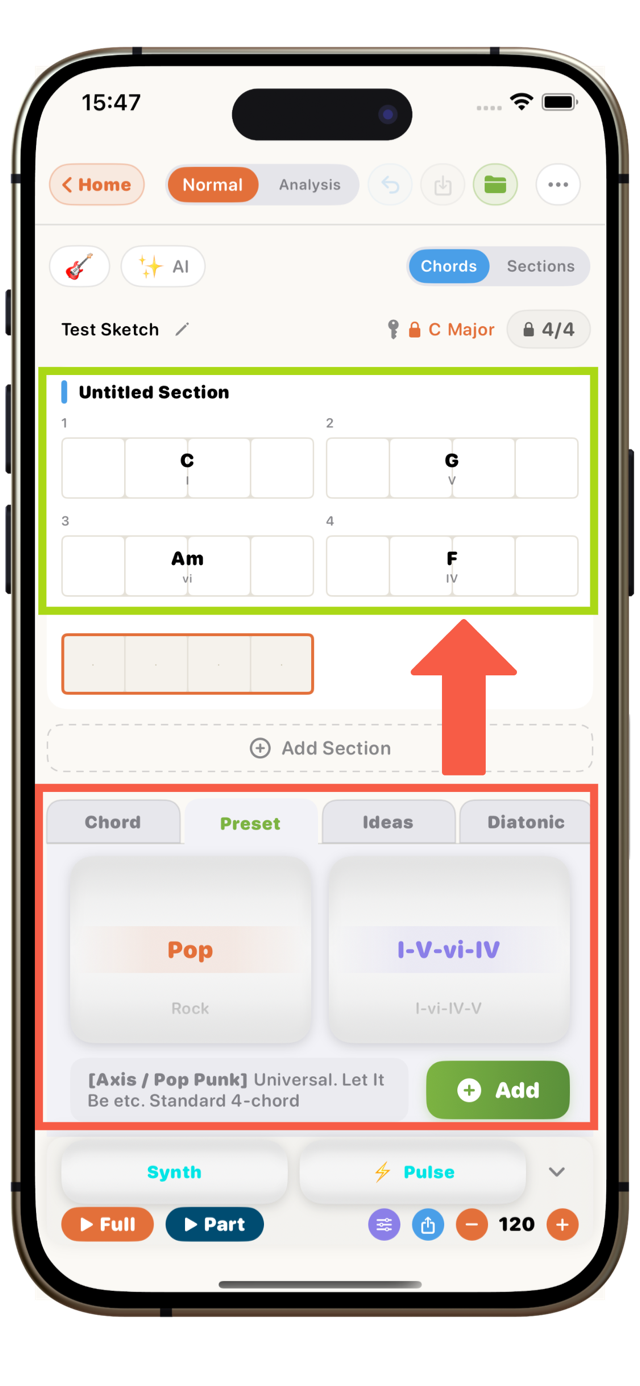
Why each template feels good, and which famous songs use it, is covered with examples in the Progression Gallery.
② Pick from the key's diatonic chords
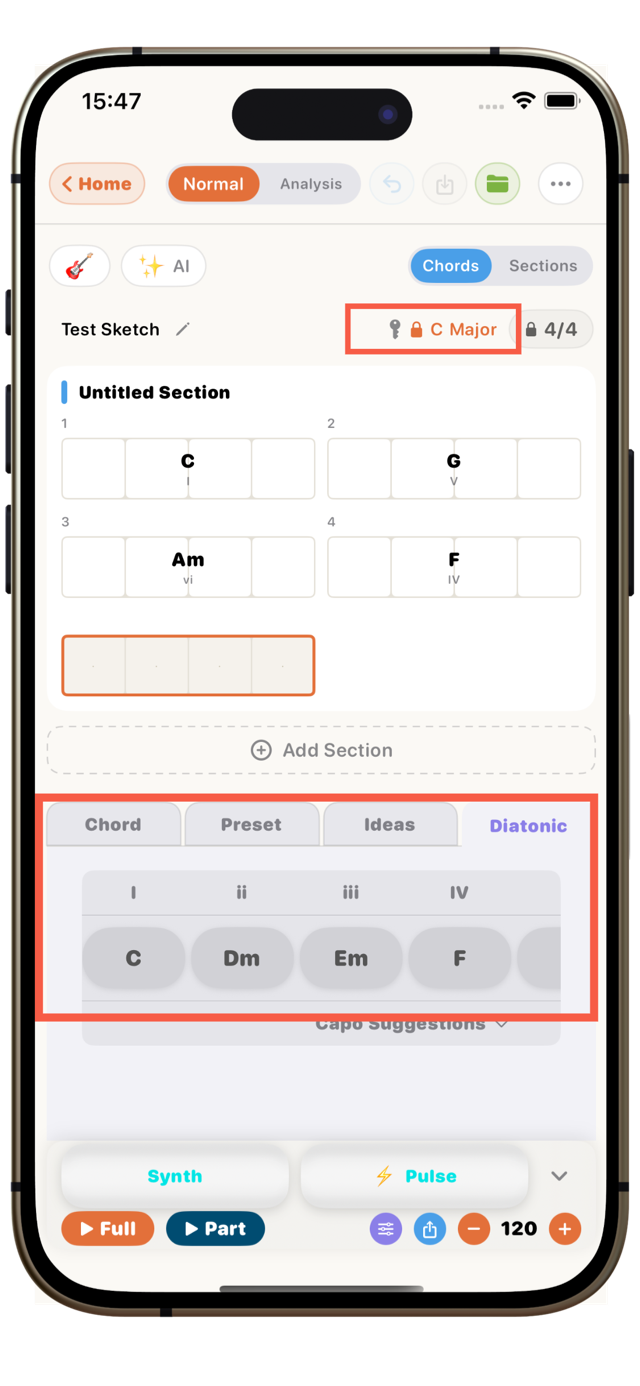
Choose a key and your go-to chords narrow to seven (the diatonic chords). As long as you pick from those seven, the chords naturally fit together — you get a "safe range that won't go far wrong." (Once you're comfortable, chords from outside the seven work as spice, too.) The mechanism is explained in What are diatonic chords?.③ Build with in-app suggestions
An app does ① and ② for you. Choose a key and the diatonic chords line up; it suggests the next move; and you hear it instantly. Even before you learn theory, you can build a progression by ear.
Here's how to do ③ in OtoTheory's Create mode.
Build a progression in OtoTheory's Create mode
Step 1: Pick a key and scale
Choose a key (say, C major) and scale in Create mode, and that key's diatonic chords appear with one tap. This is your "range of chords that fit."
Step 2: Line up the chords
Build a progression from the chords shown. Start on the tonic (home), create movement in the middle, and close with the dominant to return — keep that flow in mind and it hangs together. You can also drop a classic template (e.g. I–V–vi–IV) in as a base.
Step 3: Get suggestions for the next move
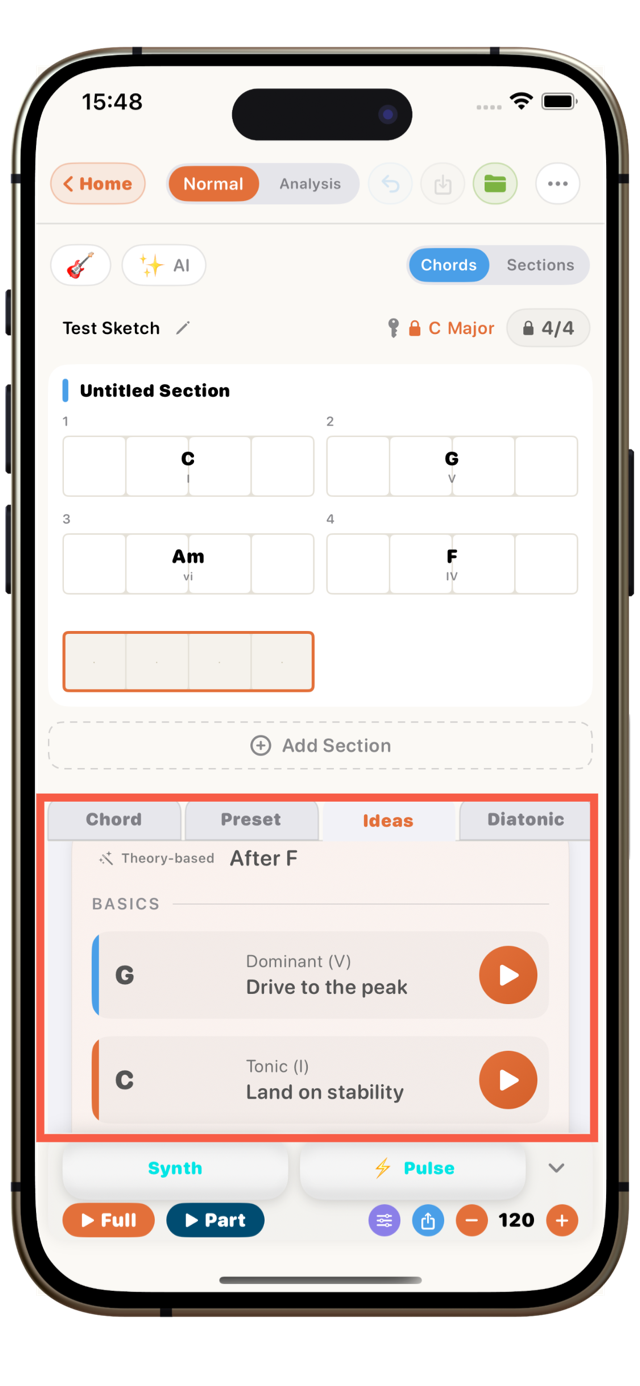
Stuck? Open the Ideas tab. It suggests chords that fit next, each with its role (tonic / subdominant / dominant) and effect ("adds openness," "builds tension," "lands on stability," and so on). Each one is playable on the spot, so you can choose by ear before you know the theory.
Step 4: Add a groove to check it
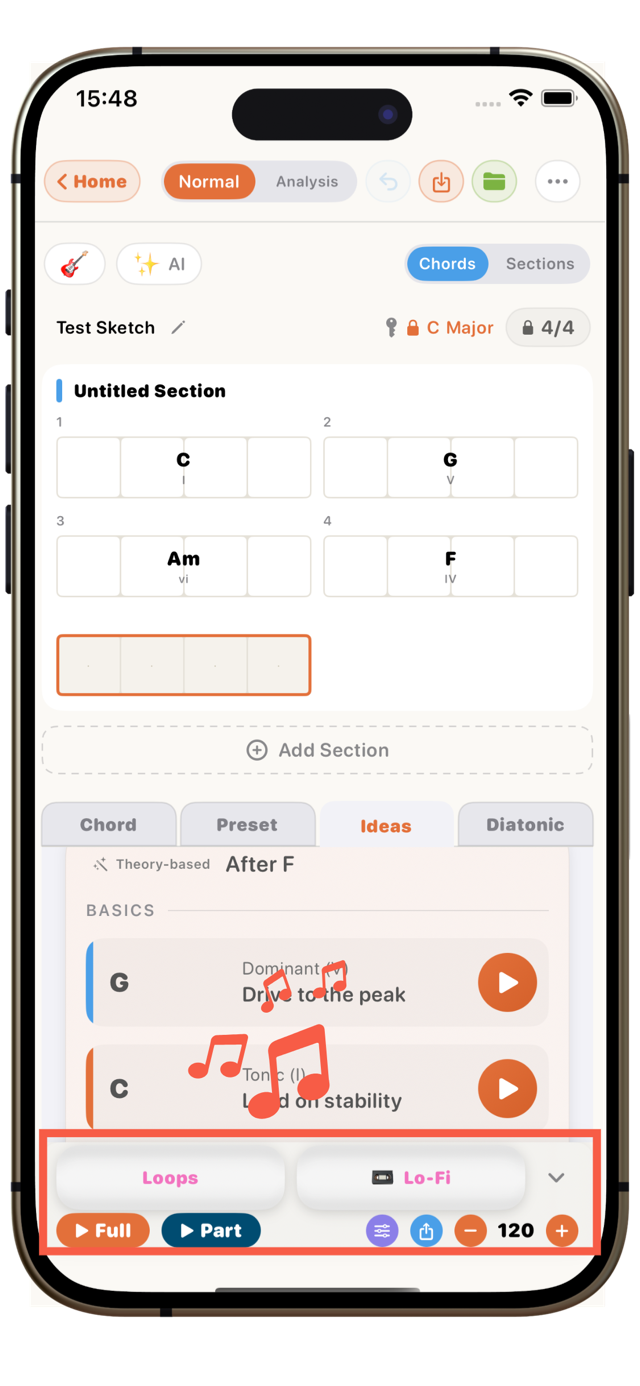
With the chords in place, add a groove and play it back. Hearing it on a real rhythm makes "good / not quite" obvious. Swap chords until it clicks.
Tips for pulling it together
- Decide the key first: your go-to chord candidates narrow to seven, making choices much easier.
- Start on the tonic, end on the tonic: it feels stable and "comes full circle."
- Close with dominant → tonic: the "pull home" of G → C creates a clear cadence.
- Base it on a classic, then change one part: faster than from scratch, and still your own.
Frequently asked questions
How many chords does a progression need?Many classics use four. Start with a loop of four chords, and once you're comfortable, change chords across the verse and chorus to expand it.
Can I write one without knowing music theory?Yes. Choosing a key narrows the usable chords automatically, and picking from those gives a progression that fits. Each chord shows its degree and function, so you pick up theory as you go.
How do I choose a key?Pick by your singing range or the mood (bright = major, wistful = minor). You can transpose everything later, so start with an easy key like C major or A minor.
What can I do with the progression I made?Play it back with a groove, or export MIDI into your DAW. You can also send a recording of your own playing into Create mode and grow a progression from there.
Is it free?Building, playing, and editing progressions are available on the free tier. Exports like MIDI and PDF are Pro features.
Try it on iPhone or iPad
Building chord progressions is done in OtoTheory's Create mode (iOS app). Pick a key, start from the chords that fit, and put together your first progression.
Related guides
- Progression Gallery — real examples of the classic progressions songs use
- What are diatonic chords? — how a key decides which chords you can use
- What chord comes next — how to choose the next chord when your progression stalls
- How to record yourself and get the chords — start writing from a phrase you played
📖 References
The following sources were used in writing this article. (※ To be finalized before publish.)
Making chord progressions and common patterns* How to Write a Chord Progression – musictheory.net — building progressions from key and diatonic chords
* Common Chord Progressions – Hooktheory — how classic progressions are used
Up next: a guide on how to find the key of a song.